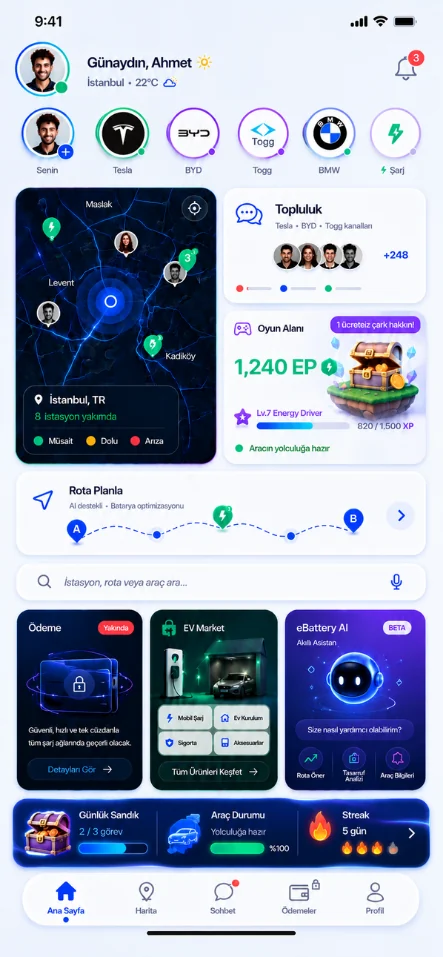

Route with charging stops
Plan your trip using your vehicle and battery information. Consider arrival energy and breaks together.
With eBattery AI, assess charging stops, vehicle details and your battery level together. Plan routes, trips and station suggestions in one place.
When you say “I’m driving from İstanbul to İzmir this weekend,” the plan needs to take into account your vehicle details, your starting battery level, your road preferences and the energy you want to have left on arrival. eBattery AI brings this information together in the relevant planning flow.
You review the suggested stops and explanations on a single card. You can change your preference and edit the plan, and continue with the route you find suitable. Creating a suggestion and acting on your behalf are separate steps.
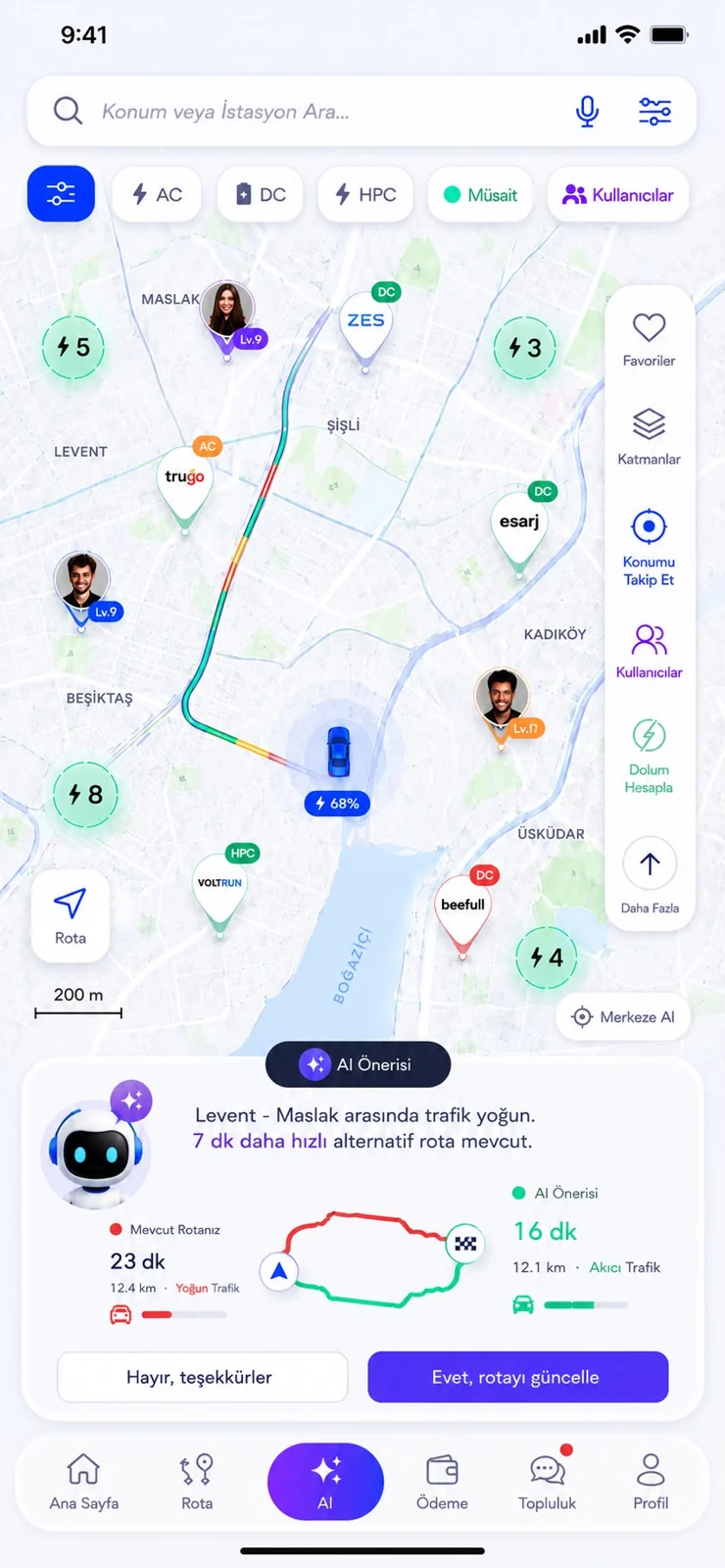
Plan your trip using your vehicle and battery information. Consider arrival energy and breaks together.

Share where you want to go, your timing and your preferences. Work on trip cards you can edit day by day.

Search for stations near you or in a specific area according to your needs. Move from the results to the details and the route plan.

Review your consumption and trip preferences with the available data. See what information the result is based on.
When your battery runs low, quickly assess your options for reaching a suitable charging point. This is a different route flow from roadside assistance.

Review the cards, fill in any missing details and change them if needed. Move critical actions forward with separate confirmation.
eBattery AI handles your request together with your vehicle and battery information, and turns the options into a clear plan.
Your arrival, trip or charging need.
Your vehicle, battery and road preferences.
Compare stops and suggestions.
Edit, save and get ready for the road.
The same route does not call for the same charging plan for different vehicles and starting charge levels. The AI approach is designed to consider your request, your vehicle details, your battery level and the reserve you want to keep on arrival together.
The shortest route may not be the best one for you. Your break preferences, the places you want to visit and road conditions can change the plan. Being able to review and edit the suggestions lets you make your own decision based on the options explained.
Route and energy results are based on calculations made from the information entered and current conditions. Variables such as weather, traffic, speed and load can affect actual consumption.
Understanding your request is different from carrying out an action. Actions such as charging or payment depend on the relevant service being supported and on the required user approval.
Emergency Charge is aimed at quickly finding a route to a suitable station. Providing mobile charging support at the vehicle's location is a separate service being developed under EV Market.
Discover stations, plan charging breaks and stay connected with drivers. eBattery for iOS and Android.